Use sh -c command in docker run
Are these two commands same?
|
|
|
|
They are not. When I ran these two commands on a server which runs Alpine Linux v3.18, I got different outputs.
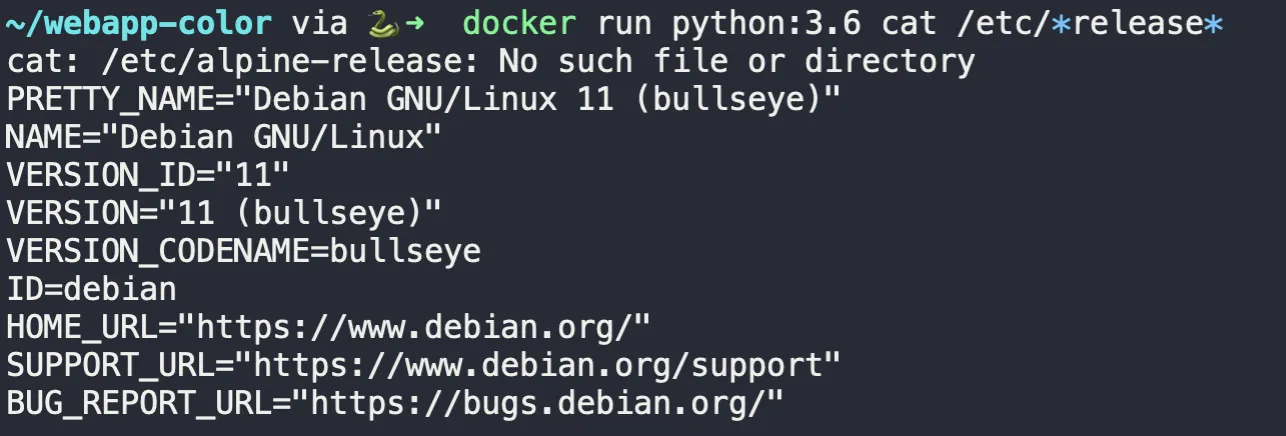
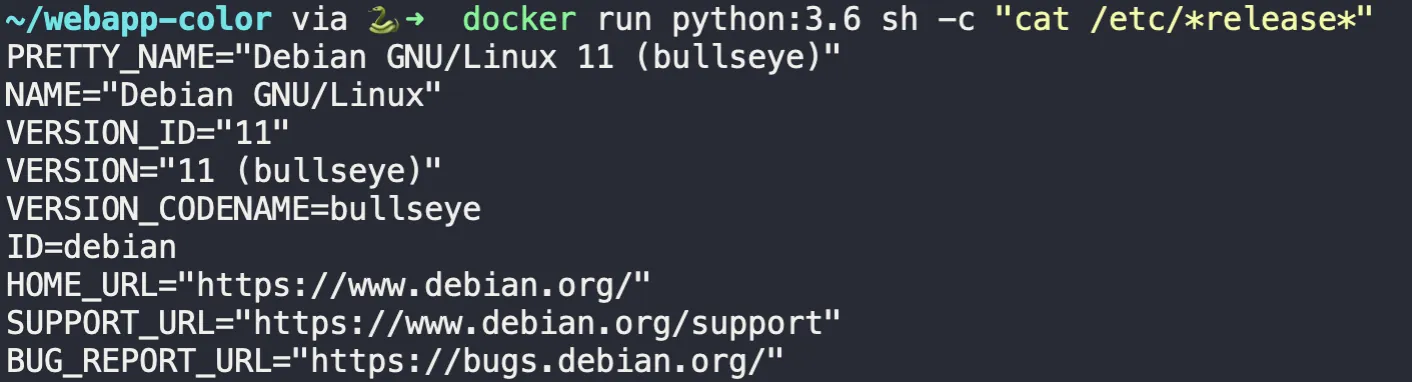
Notice that the first command gives us an error at the top saying “/etc/alpine-release” cannot be found.
However if you try to try to list /etc in the docker, you can only find one
file.

So where does this “/etc/alpine-release” comes from? It’s not hard to guess, isn’t it? It is from the host shell. Here is the proof:

Why does this happen? This is because when we run the first command, the
glob
pattern is a part of the whole command
and handled by the host shell. Therefore, the host shell interprets *release*
and passes two files to docker. As a result, on Alpine system, the first command
is essentially docker run python:3.6 cat /etc/alpine-release /etc/os-release.
That is why cat complains it cannot find /etc/alpine-release. Conversely, for
the second command, the whole cat command together with the glob pattern is
passed as a string and handled by sh inside the container. That makes sure the
glob pattern is interpreted inside the container, so it correctly only reads the
file that exists in its /etc directory.
Lesson learnt: consider wrapping the command to be executed inside container
with sh -c", especially in case that the command relies on some sort of
interpolations by shell.