Refresh blog look
Ever since I created this blog three and half years ago, I have been using the theme etch developed by LukasJoswiak. It’s minimal, neat and restrained. All of those traits echo with me. Even though today that I have decided to create my own theme, I still deeply appreciate its design philosophy.
Having said that I am happy with etch for so long, there has been a few frictions that I have encountered:
- Content width: this is probably the biggest issue. I found etch extremely pleasant to read on mobile, but the desktop experience is a bit weird. Initially I liked its narrow width so I don’t have to horizontally roll by eye too much. However the constraint soon appears when I write longer articles or attach code;
- Image caption: etch is so minimal that it doesn’t support image caption. For instance, when I wrote Life in Bangkok , I hardcoded the caption in a new paragraph. It didn’t look nice, but I found hugo template was too frightening to work with, so I lived with it;
- Code snippet: the code display on etch is limited. It wrap code in
<pre>tag, so it’s displayed with monospace font, but it doesn’t really do any syntax highlighting or line number.
I have been thinking to create my own theme since I started revamping the infrastructure of this blog. I think this would be a great opportunity for me to understand hugo architecture a bit better too. That’s why I build xyra
- my very own hugo theme designed specifically for this blog.
The name “xyra” is adapted from the League of Legends champion “Zyra”. I don’t really play League of Legends, and I have no idea about Zyra. I asked ChatGPT to come up with some names. Initially I went with a different name “Nex”. I stayed with this name for a while until I occassionally hear one function in a company is also named “Nex”. That immediately made me feel Nex was a bad choice. Zyra came into the picture afterwards. When I looked into it, Zyra, as a human-plant hybrid, is the “wrath of nature”. This coins with the theme colour of this blog, green, very well. To make it more special, I took the letter x from my name and put it in the name. Hopefully it doesn’t change the pronounciation too much.
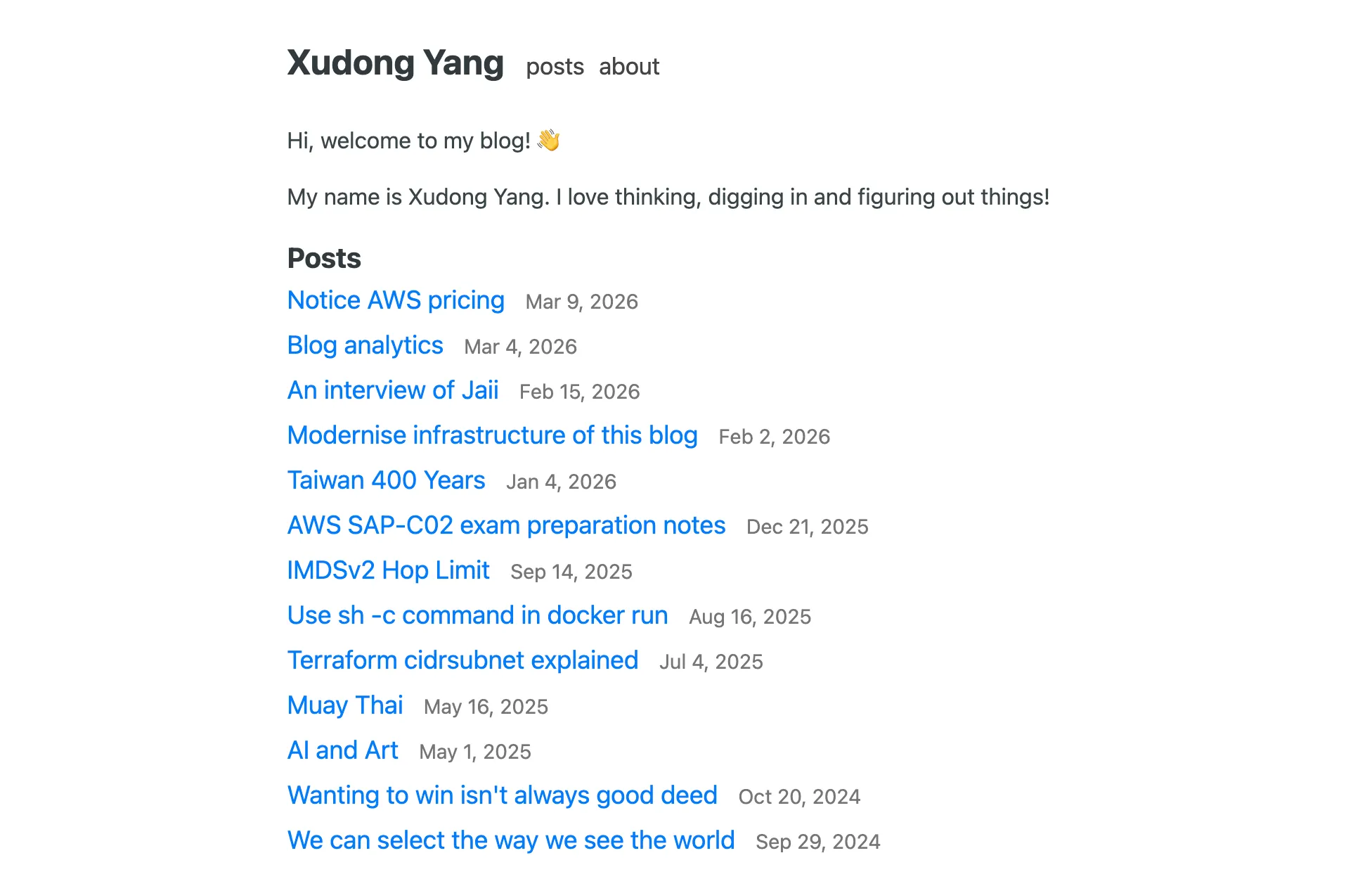
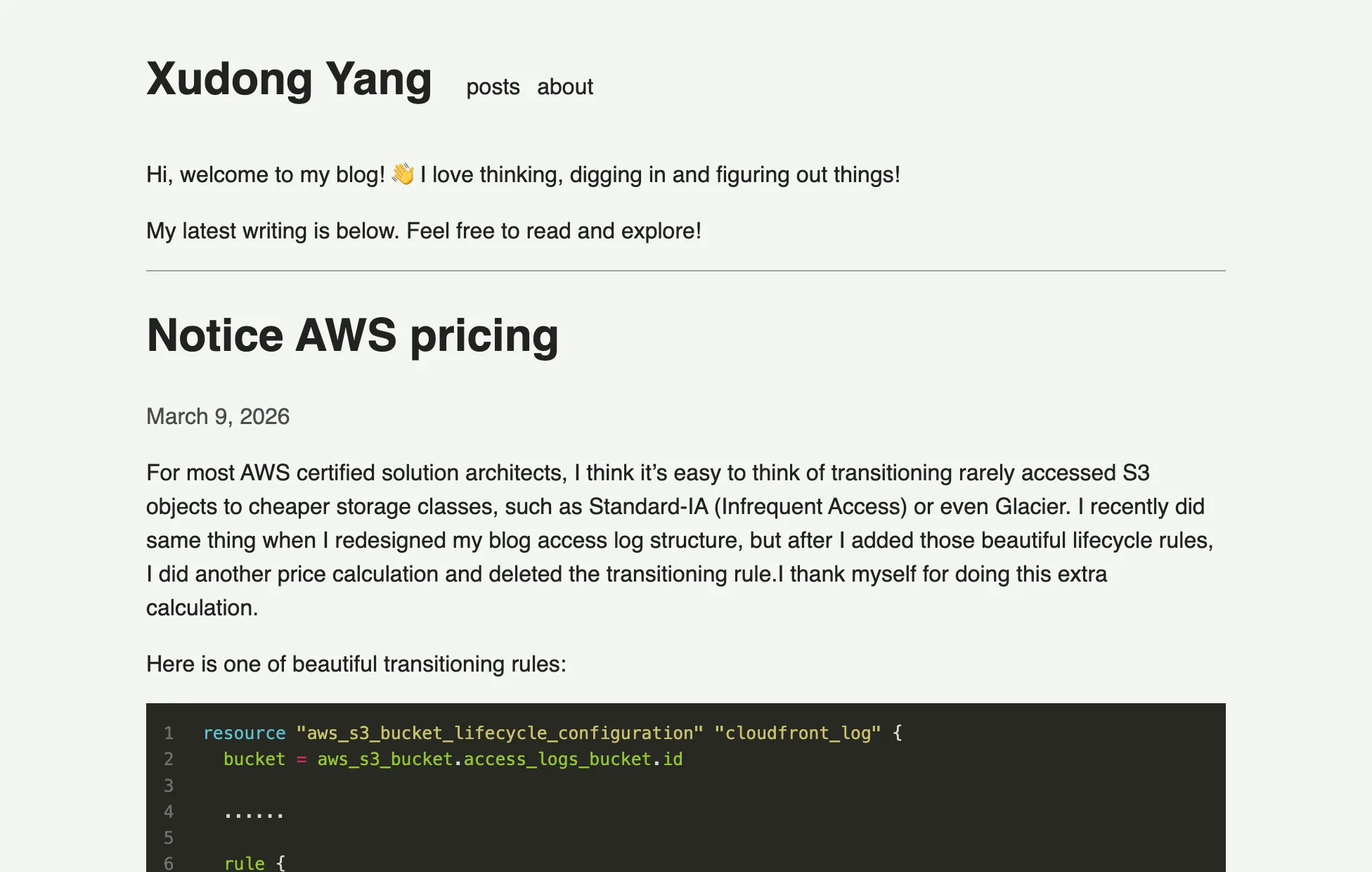
As a memory of the history, here are the screenshots for before and after this look refresh:
Throughout this theme creation process, I advanced my understanding to hugo much better:
- The most important part of a hugo template is
layouts. It defines the HTMl structure; - CSS and JS files are all in
assets; - Inside
layouts, first file to look at isbaseof.html. It is the foundation of every HTML (usually contains the reusable structure of the whole HTML such as<html><head>something</head><body>variable</body></html>); home.htmlandpage.htmlare relatively easy to understand. They are respectively homepage and detail page (such as every post page - it takes care of About page too);section.htmlandtaxonomy.htmlare very confusing by their names. They are both list.section.htmlrenders a list of sections under/content/folder. For example,/content/posts/folder corresponds to a section calledposts, and/content/docs/folder corresponds to a section calleddocs. Sections are served athttp://baseUrl/section. So thepostsitem on the navigation bar of this site is rendered bysection.html.taxnomy.htmlis a similar concept. It renders a list of categories (in most use cases, tags). Since I have placed all tags on/postspage, I don’t need a separate page to display a list of tags. I added this line to my hugo configdisableKinds = ['taxonomy']to disable it completely;term.htmlis the specific page of each taxonomy. Imagining a taxonomy page (such as/tags/) displays a list of taxonomies. Clicking on each of them opens a dedicated page to show all the contents matching that taxonomy. On this site, if you go to/postspage and click on some tags, you will see the URL changes to/tags/xxx. This is because that page is rendered byterm.html, notsection.htmlanymore, even though they are visually similar (I deliberately made it that way);- All above code support reusable component extraction. If needed, they can be extracted as
layouts/partials; layouts/_defaultfolder can contain many more things. I have only exploredlayouts/_default/_markup. This is a hook of the renderer. You can override the renderer for many HTML elements. For example, I haverender-image.htmlto render the image as<figure>and add caption. I also haverender-link.htmlto make external links to be opened in a new tab.
Eventually, making a hugo theme isn’t as hard as it looks like. I just need to be very patient and brave to dive into those code that I am not familiar with. Knowing that many big companies such as Datadog and Cloudflare are using hugo to build their websites. I think the time spent on hugo is a valuable investment. After all, it’s fun to have my own theme now, and there are so much more to do with it.
My wishlist includes SEO revisit (since I overhauled the web design at all), accessibility review, terminal browsing experience testing, and some UX improvements.
Building xyra brings about a new chapter for this blog. I am excited for the next to come!